Links To See – Week of June 9, 2013
Posted on June 14, 2013 2 Comments
See what’s been going on this week.
- Getting to Know Adobe Kuler (From yvenia)
- Propel Your Freelance Biz Forward (From HOW Design)
- Feeling Inspired? Check out these award winning designs. (From HOW Design)
- Important Changes in the 2013 AP Stylebook (From Edelman Digital)
- How Often Should You Post to Your Freelancing Business Blog? (From Freelance Folder)
- Debenhams ‘No Photoshopping’ Pledge: Company Promises Never To Adjust Women’s Body Sizes (From Huffington Post)
Share this:
- Click to email a link to a friend (Opens in new window) Email
- Click to share on Facebook (Opens in new window) Facebook
- Click to share on X (Opens in new window) X
- Click to share on LinkedIn (Opens in new window) LinkedIn
- Click to share on Pinterest (Opens in new window) Pinterest
- Click to print (Opens in new window) Print
- Click to share on Reddit (Opens in new window) Reddit
Getting to Know Adobe Kuler
Posted on June 11, 2013 Leave a Comment
I have to admit, I’m usually late in the game when it comes to apps. It took me a few years to download Twitter before I became a Twitter-holic. I downloaded Instagram a year after it became a global phenomenon. I even downloaded Candy Crush about six months AFTER it became a huge addiction (and wasted time playing it…damn you Candy Crush!). Another app that I downloaded just two days ago is Adobe® Kuler™ (seems it’s pronounced “Color”). This app was introduced recently so I now feel up-to-date!
Anyways, the purpose of the web-based app is to customize your own color palettes from photos you took from your mobile phone (or browser) to use for design projects. When you take a picture of something that you like color-wise through your phone, the app picks 5 colors from the image and saves them as a color theme. You can customize the palette however you want – each color includes RGB sliders and a hexadecimal code for web-based projects – and sync them through Illustrator via Adobe Creative Cloud. You can also share your color palettes to the Kuler community.
Here’s a screen capture of some color palettes that I created using Kuler from my phone.
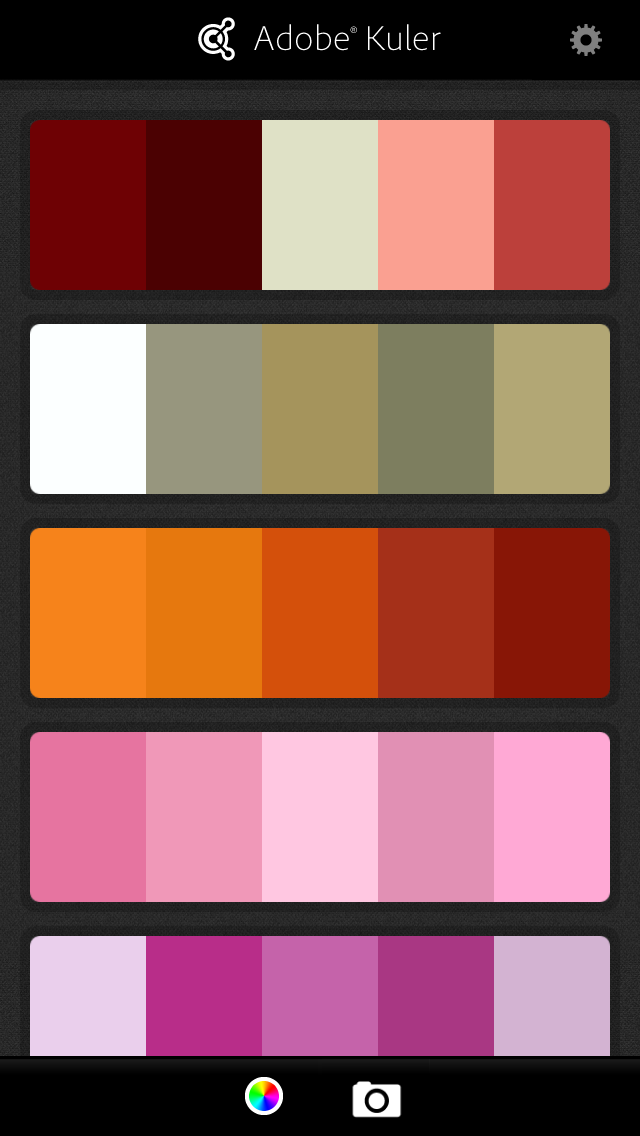
Just a heads up: You must be a member of Adobe Creative Cloud in order for you to sync the color themes to the latest version of Illustrator. If you have an older version of Illustrator, synching may not work, unless you have the time to manually create the colors yourself.
To learn more about this powerful tool, go here.
Have you used Adobe Kuler? If so, what do you think of it? Please comment below.
Share this:
- Click to email a link to a friend (Opens in new window) Email
- Click to share on Facebook (Opens in new window) Facebook
- Click to share on X (Opens in new window) X
- Click to share on LinkedIn (Opens in new window) LinkedIn
- Click to share on Pinterest (Opens in new window) Pinterest
- Click to print (Opens in new window) Print
- Click to share on Reddit (Opens in new window) Reddit
Links To See – Week of June 2, 2013
Posted on June 8, 2013 Leave a Comment
Some cool links of the week:
- Infographic: Tackle social media in 30 minutes a day (From Ragan)
- What Freelancing is Not (From Graphic Design Blender)
- 5 Tips to Jump-Start Your Post Design Career (From Nubby Twiglet)
- Why Freelancers Need a Good Working Environment at Home (From Naldz Graphics)
- Create a Design Career Map to Chart Your Next Move (From HOW Design)
- Why You Should Blog to Get Your Next Job (From Mashable)
- 28 Creative Branding and Identity Design examples for your inspiration (From Webneel)
- Getting Out of The Google Sandbox! (From PC Tech Authority)
Share this:
- Click to email a link to a friend (Opens in new window) Email
- Click to share on Facebook (Opens in new window) Facebook
- Click to share on X (Opens in new window) X
- Click to share on LinkedIn (Opens in new window) LinkedIn
- Click to share on Pinterest (Opens in new window) Pinterest
- Click to print (Opens in new window) Print
- Click to share on Reddit (Opens in new window) Reddit
Design Inspiration – Wedding Save The Date
Posted on June 6, 2013 Leave a Comment
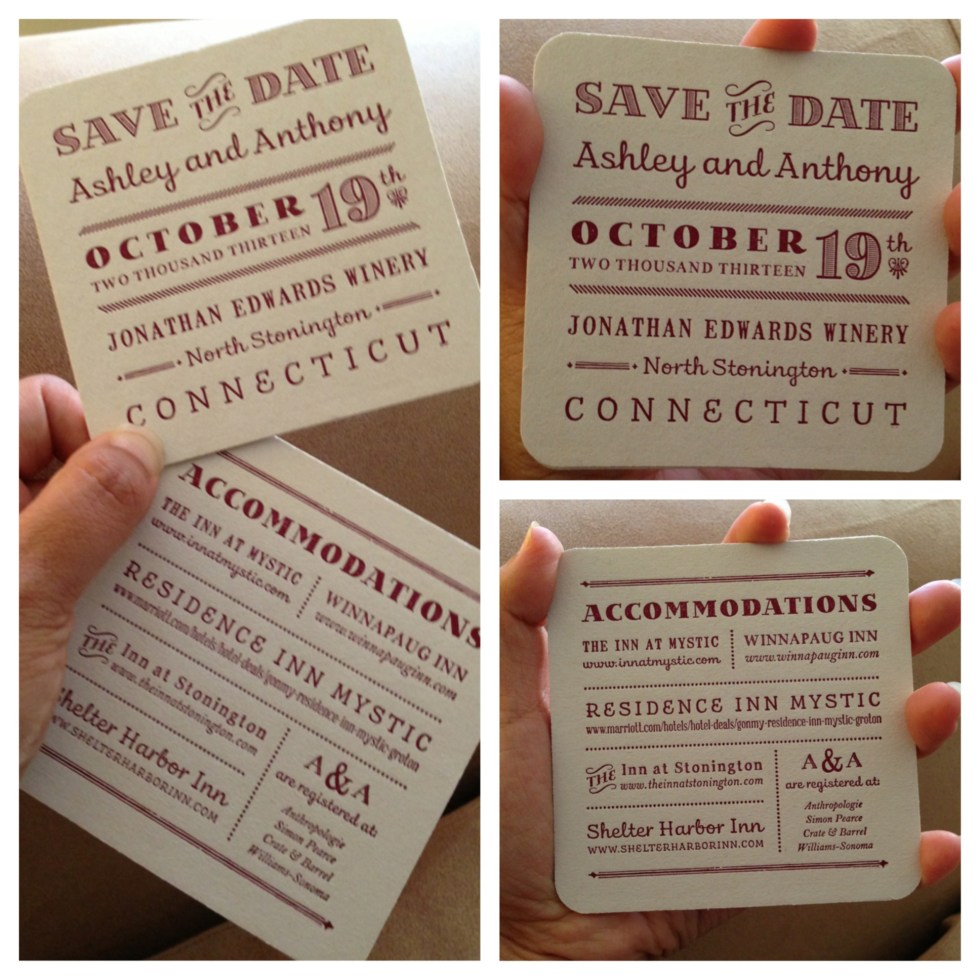
I just received a “Save the Date” card from my cousin, who’s getting married in October. It’s very unique — a two-page card with round corners and a cool “modern meets vintage” design. I wish I know who the designer is so I can give that person proper credit — will ask my cousin later. Looking forward to the invitation!
Share this:
- Click to email a link to a friend (Opens in new window) Email
- Click to share on Facebook (Opens in new window) Facebook
- Click to share on X (Opens in new window) X
- Click to share on LinkedIn (Opens in new window) LinkedIn
- Click to share on Pinterest (Opens in new window) Pinterest
- Click to print (Opens in new window) Print
- Click to share on Reddit (Opens in new window) Reddit
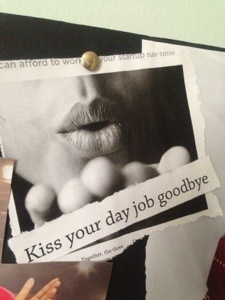
Kiss Your Day Job Goodbye
Posted on June 1, 2013 Leave a Comment
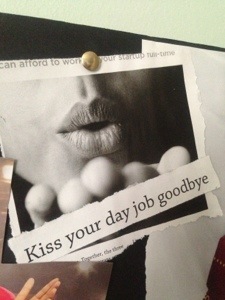
One day, with a lot of hard work, this will happen…
Share this:
- Click to email a link to a friend (Opens in new window) Email
- Click to share on Facebook (Opens in new window) Facebook
- Click to share on X (Opens in new window) X
- Click to share on LinkedIn (Opens in new window) LinkedIn
- Click to share on Pinterest (Opens in new window) Pinterest
- Click to print (Opens in new window) Print
- Click to share on Reddit (Opens in new window) Reddit
Links To See – Week of May 26
Posted on June 1, 2013 2 Comments
Check out these links from this week:
- How to find your perfect design partner (From Creative Bloq)
- 35 Top Free WordPress Themes for Designers (From Creative Bloq)
- Organize your Social Business – White Paper (From HootSuite)
- 17 Social Media Tips Every Graduate Needs (From Heidi Cohen)
- How Two Owners Got the Web Sites They Wanted (Written by Melinda Emerson for the You’re The Boss blog/New York Times)
- The Confidence Gap And Women Entrepreneurs (From Forbes)
Share this:
- Click to email a link to a friend (Opens in new window) Email
- Click to share on Facebook (Opens in new window) Facebook
- Click to share on X (Opens in new window) X
- Click to share on LinkedIn (Opens in new window) LinkedIn
- Click to share on Pinterest (Opens in new window) Pinterest
- Click to print (Opens in new window) Print
- Click to share on Reddit (Opens in new window) Reddit


